

Energy overview
Current solar, grid, battery, and home flow with reported status and freshness.
The product
CursoVerde turns reported energy-system facts into visible flow, explainable plans, household controls, and honest unavailable states.
Core capabilities
Every screen is capability-aware. A feature appears as available only when the connected system and account authorize it.
Current solar, grid, battery, and home flow with reported status and freshness.
Daily through custom-range history, load breakdown, and sourced carbon estimates.
Forecasts, rates, scenarios, plans, operating modes, and reviewable schedules.
Physical inventory, logical organization, circuit classification, and priorities.
Supported environmental alerts, backup preferences, and condition visibility.
Systems, members, roles, active sessions, display preferences, and direct controls.
Visibility over time
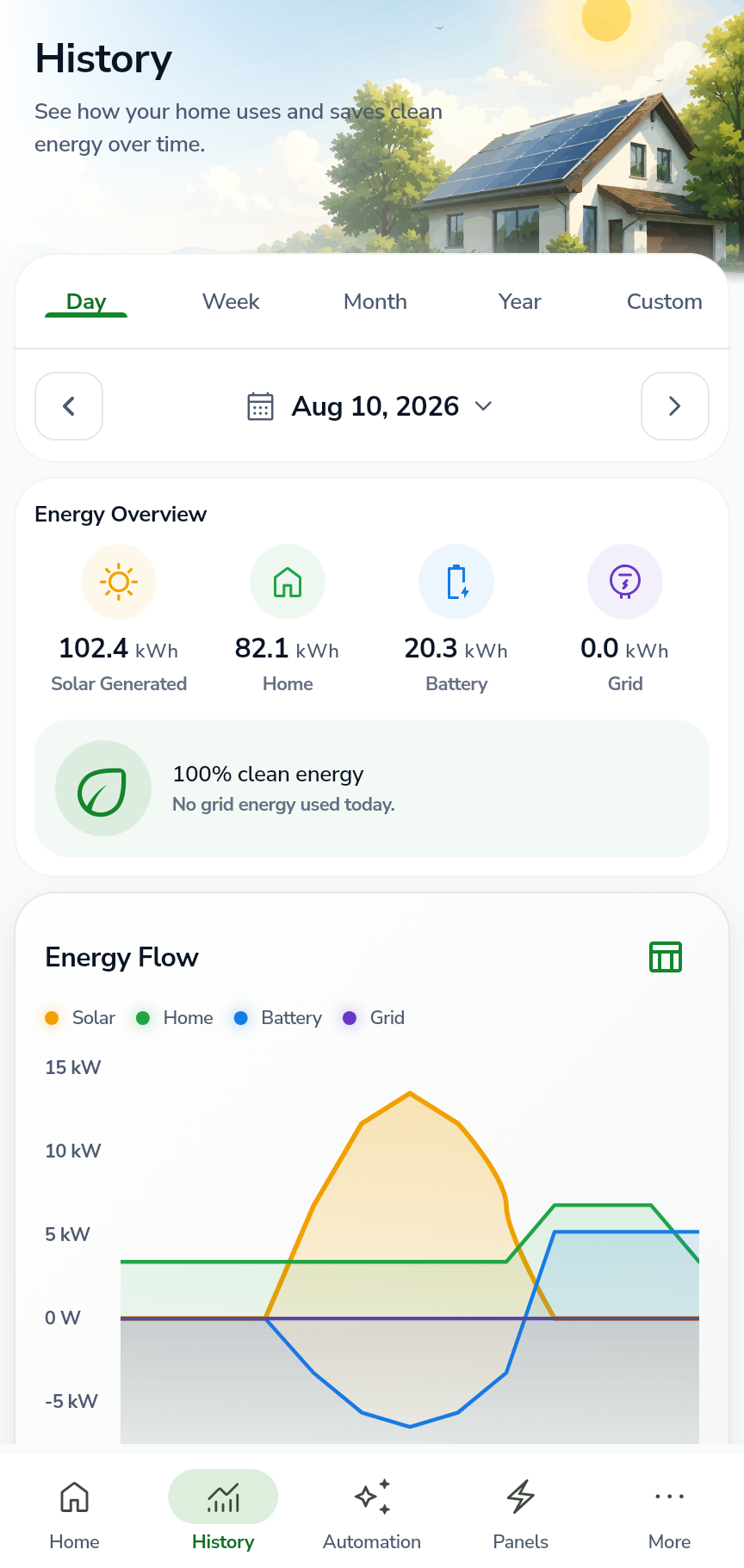
History separates solar, home use, battery movement, and grid exchange across day, week, month, year, and custom ranges.
Explainable plans
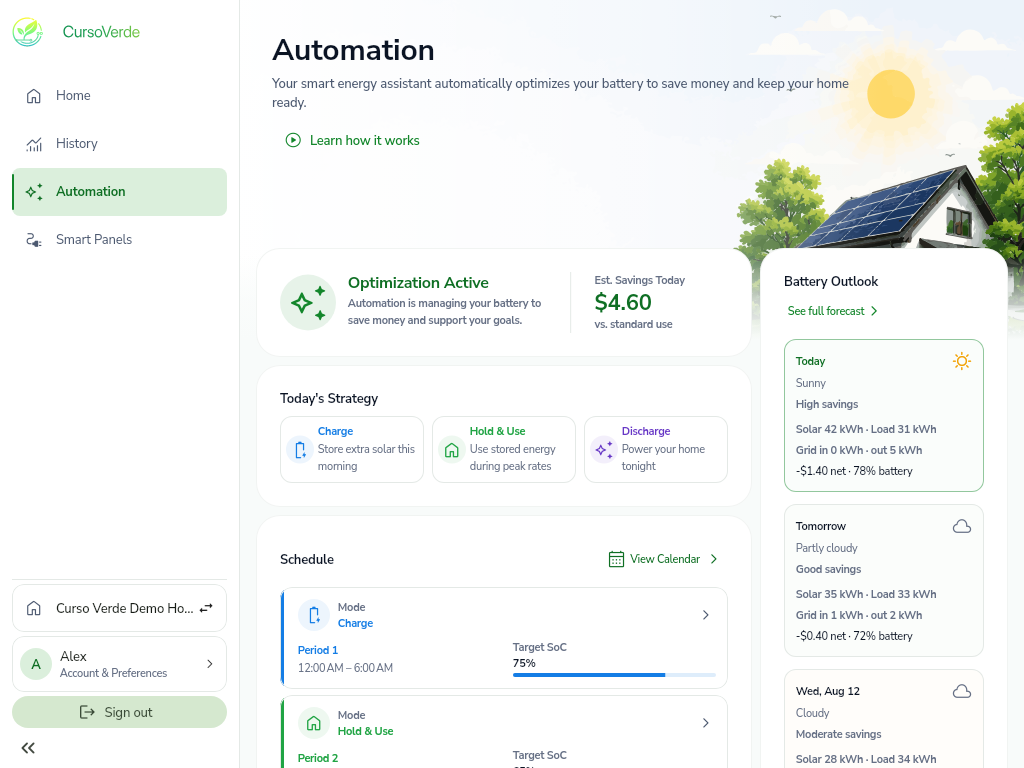
Choose what the plan should prioritize, inspect the data it may use, and review the schedule the system reports.
Capability-gated control
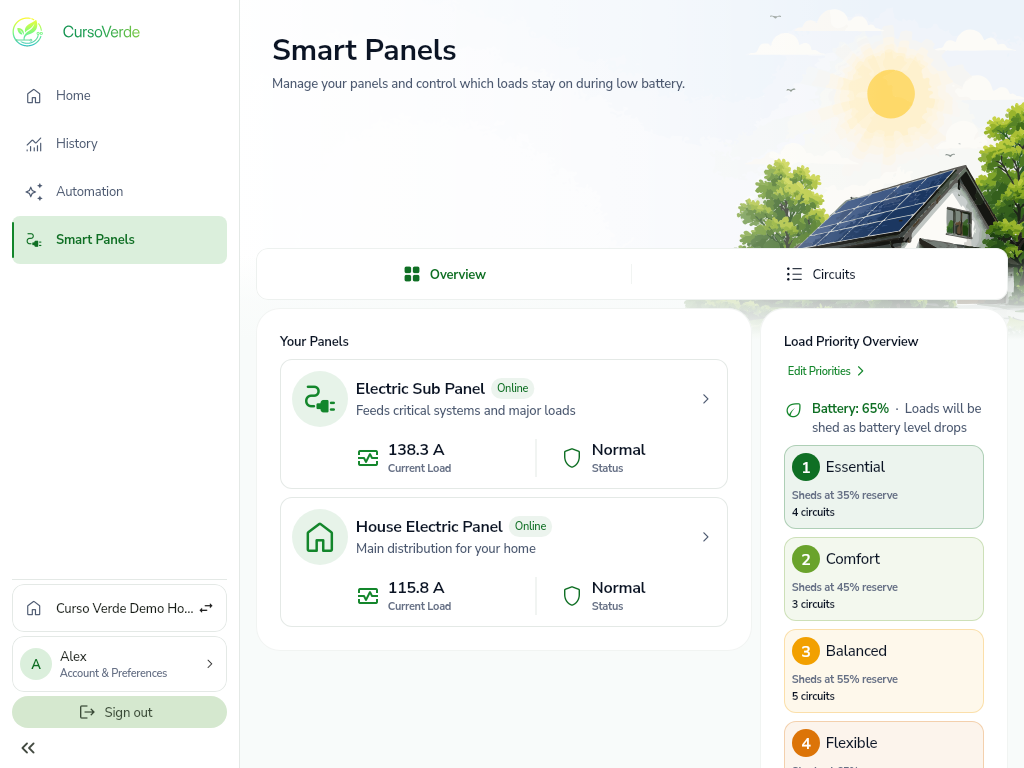
CursoVerde preserves discovered panel and channel identities while allowing household labels, logical groupings, and reserve-based priorities.
Transparent methodology
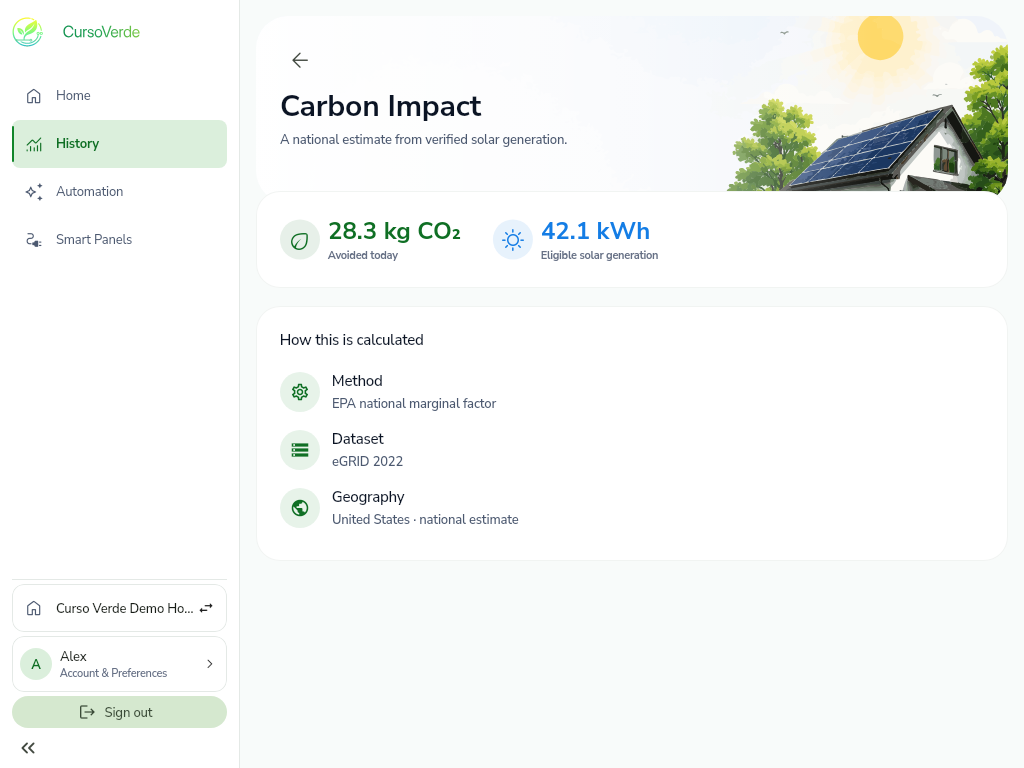
Avoided-emissions values remain estimates. CursoVerde shows the eligible generation, method, dataset, and geography behind them.
Product tour
The web demo cannot control a physical energy system.


